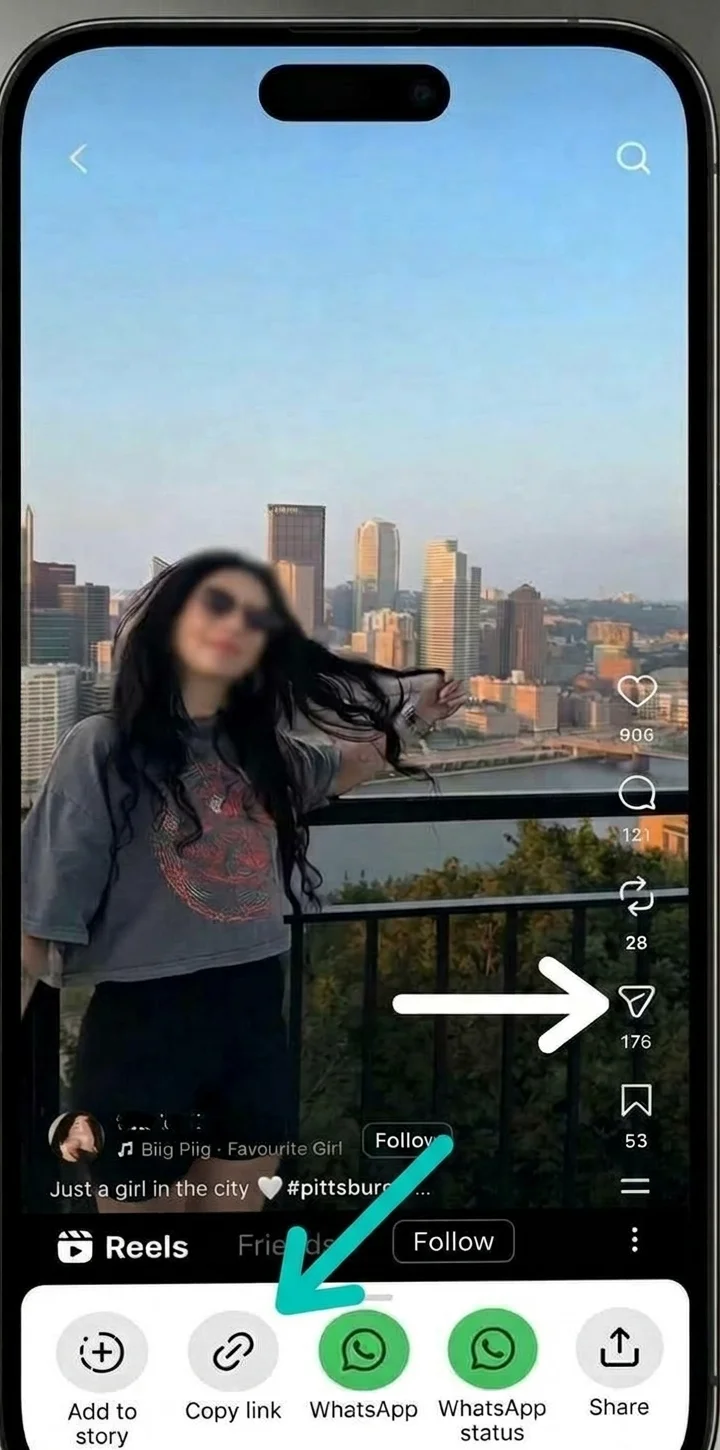
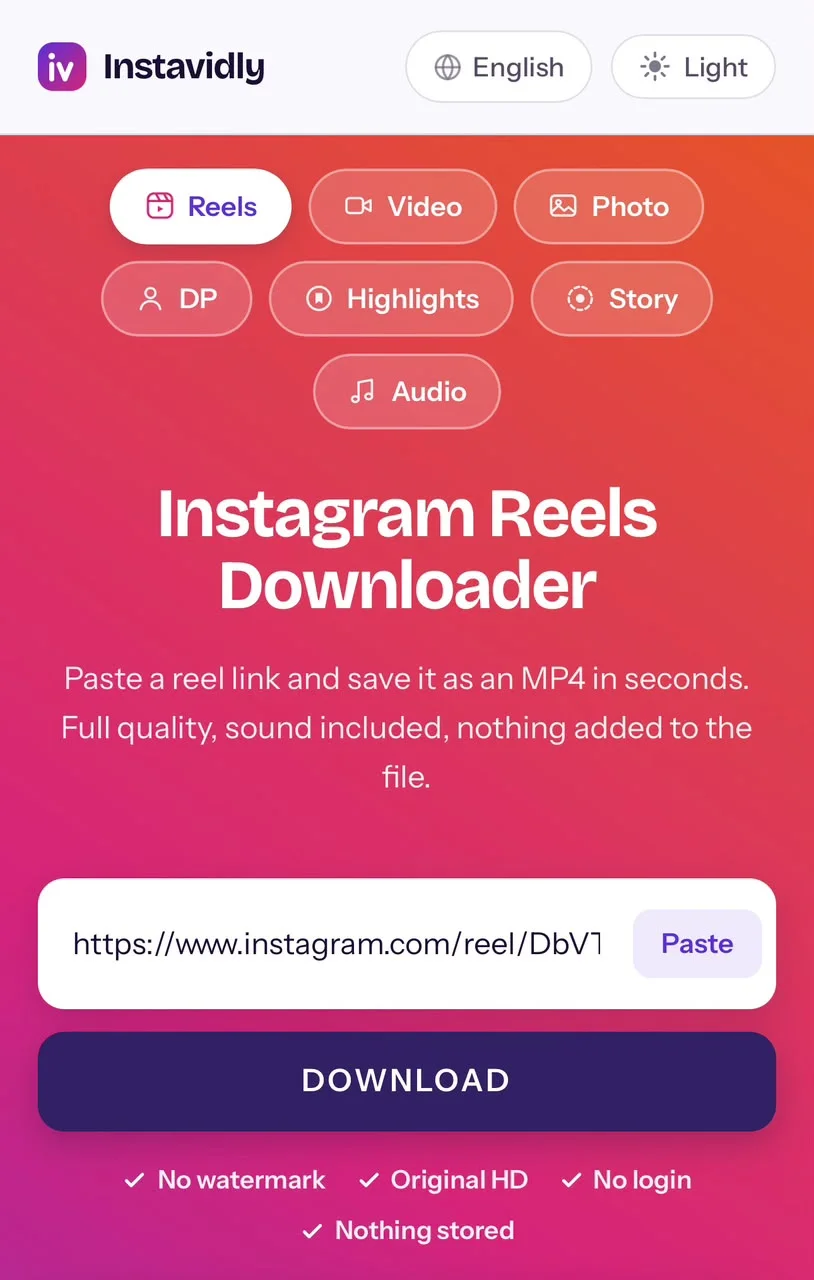
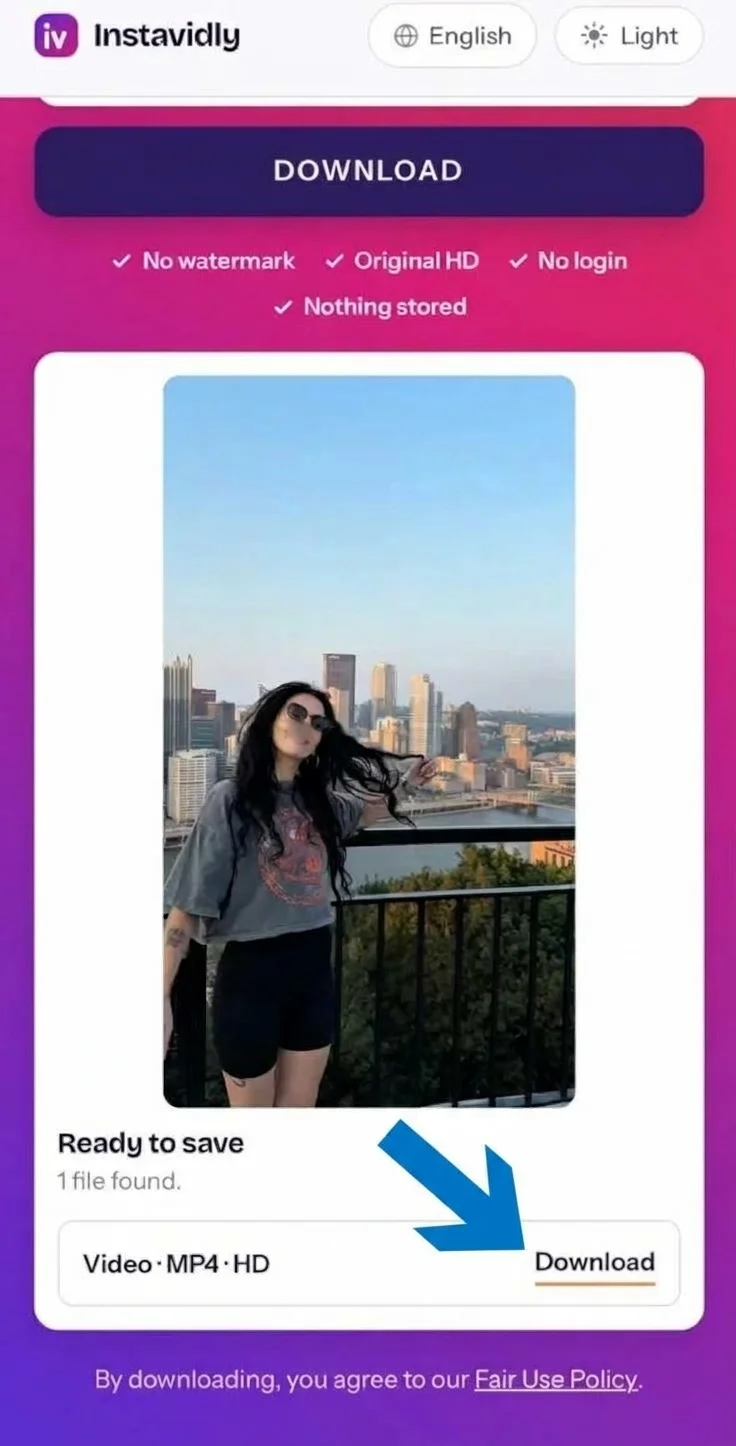
What is an Instagram reels downloader?
It is a tool that saves a reel as a video file on your phone or computer. You paste the link, and the tool fetches the same file Instagram uses to play that reel, then hands it to your browser. Everything happens online, in the browser you are reading this in, so nothing is installed and you never sign in.
- Original quality, no watermark You get the file as the creator uploaded it, with nothing added on top.
- Works on every device iPhone, Android, tablet, Windows or Mac. If it has a browser, it works.
- Nothing to install No app and no extension. The whole thing happens on this page.
- Free, with no account No sign-up, no email address, no password.
What happens behind the button is simpler than most people expect. Every public reel has a media address sitting behind the page you see, the same one the app uses when it plays the clip for you. Pasting a link lets the tool look that address up and pass the file along. Nothing is copied from your account, nothing is recorded, and no part of the video is rebuilt or re-encoded on the way through.
We never ask for your Instagram credentials, and files pass from Instagram to your device without being kept here.
Do you need a reels downloader app?
Most people searching for one assume a website cannot do the job. It can, and there are good reasons to prefer it.
An installed app has to ask for permissions before it can save anything — storage access, and sometimes far more than that. It takes up space, runs in the background, and updates on someone else's schedule. Many are funded by advertising that sits between you and the file you came for.
There is a more practical problem. Instagram changes how it serves media every few months, and when it does, an app stops working until the developer ships a fix and you install it. A website is fixed at the source, so the next time you open it the problem is already gone. You are never running an old version.
Downloader apps are also removed from the Play Store and App Store fairly regularly, which is why so many are distributed as files you sideload from a website. Installing software from outside an official store is exactly how phones pick up malware, and it is a real risk for something you might use twice a month.
A browser avoids all of it. You keep your storage, your battery and your permissions, and the tool is always current. The one thing an app can genuinely offer is a share-sheet shortcut, and you can get close to that by adding this page to your home screen — it then opens in one tap like any other icon.
Download reels in HD without a watermark
Reels are vertical, normally 1080 pixels wide by 1920 tall when the creator films in full HD. That is the highest quality Instagram stores for public viewing, and it is what you receive here when it exists.
Often it does not. Instagram compresses every upload, and how much depends on the creator's phone, their connection at the time, and how the clip was exported. A reel filmed in 4K can end up stored at 1080p or lower, and a reel uploaded over a weak signal can end up smaller still. When that happens, the smaller file is the only one that exists anywhere.
This matters because no tool can restore detail that was thrown away before the reel was posted. Any site promising to upgrade a clip to 4K is either re-encoding a small file to a larger frame size, which adds pixels but no detail, or simply mislabelling it. What you can reasonably ask for is the largest version Instagram holds, untouched, and that is what arrives when you press Download.
A watermark is a separate matter, and worth understanding because so many tools add one. It appears when software opens the video, draws a logo over the picture, and saves a new copy — which also costs you a little quality in the process. Nothing here opens the file at all. It passes through byte for byte, so the frame you see is the frame the creator posted, with no logo in the corner and no branding on the last second.
What you actually get
Every reel arrives as a single MP4. That is deliberate on Instagram's part, not a choice made here, and it is the reason the file plays on practically anything without conversion. Inside it, the picture is H.264 and the sound is AAC, a pairing every phone, laptop, tablet and television built in the last decade understands.
The shape is 9:16 vertical, exactly as posted, so it fills a phone screen the way it did in the app. Nothing is cropped to fit a different frame, and nothing is padded with black bars.
File size depends on length and how much movement is in the clip. A fifteen-second reel usually lands between two and six megabytes, while a busy ninety-second one can reach thirty or more. A clip with fast cuts and detailed backgrounds will always be larger than a static talking-head of the same length, because there is more changing for the codec to describe.
Where your reel saves
The file goes wherever your browser puts downloads, which differs by device. Here is what to expect.
On iPhone
Use Safari. After you tap Download, the file lands in the Files app under Downloads rather than appearing in Photos straight away. That surprises people, but it is how iOS handles anything that is not saved by an app directly. To move it across, open Files, find the video, press and hold it, then choose Save Video. It appears in Photos under Recents within a second or two. You can also tap the download arrow beside Safari's address bar to jump to the file immediately.
On Android
Use Chrome or any browser you like. The file saves to your Downloads folder and your Gallery picks it up automatically, so it shows alongside your own recordings without any extra step. A notification appears when it finishes, and tapping that plays the reel straight away.
On PC and Mac
The file goes to your Downloads folder, and your browser will usually show it in a bar along the bottom or in the downloads panel. MP4 plays in every standard media player, so there is nothing to convert or open specially.
Is downloading reels safe, and is it allowed?
Safe, in the sense that matters most, means nothing about this asks you to take a risk with your account. You never enter a password, no software touches your device, and no permissions are requested. The greatest danger around downloaders is not the download itself but the sites that demand a login to perform it — those credentials get used, and accounts get locked or stolen.
Whether saving is allowed is a separate question with a straightforward answer. Instagram's terms do not permit bulk collection of other people's content, and the person who filmed a reel holds the copyright to it. Saving a public reel to watch offline, to study how it was edited, or to keep something a friend posted sits in ordinary personal use and rarely troubles anyone.
Republishing is where it changes. Uploading someone else's reel to your own account, using it in an advert, or passing it off as your work can get the post removed, your account restricted, or worse if the creator pursues it. The safe habit is simple: keep what you save for yourself, and ask before you publish anything that is not yours.
When a reel will not download
Four things cause nearly every failure, and all of them are quick to check.
The account is private. Nothing can be fetched from a private account, and the page will tell you so rather than sitting there. If you follow them, ask for the clip directly.
The post was deleted or restricted. Reels can be removed by the creator or blocked in some countries. If the link no longer opens on Instagram either, that is the cause.
The wrong link was copied. A profile address does not point at any particular reel. The link you need contains /reel/ followed by a short code, and the share menu always gives you the right one. It makes no difference whether you copied it from the app or from IG on a desktop browser — both produce the same address.
Instagram changed something. This happens a few times a year and affects every downloader at once. It is usually fixed within hours, so trying again later is worth doing before assuming the link is dead.
Other tools on Instavidly
This page is built for reels. If you need something else, these tools handle their own content types and work the same way — paste a link, press Download: